Problem
Finding a rental home is often fragmented across multiple platforms, making it difficult to discover verified properties, compare options, schedule visits, and complete the rental process efficiently.
PROJECT OVERVIEW
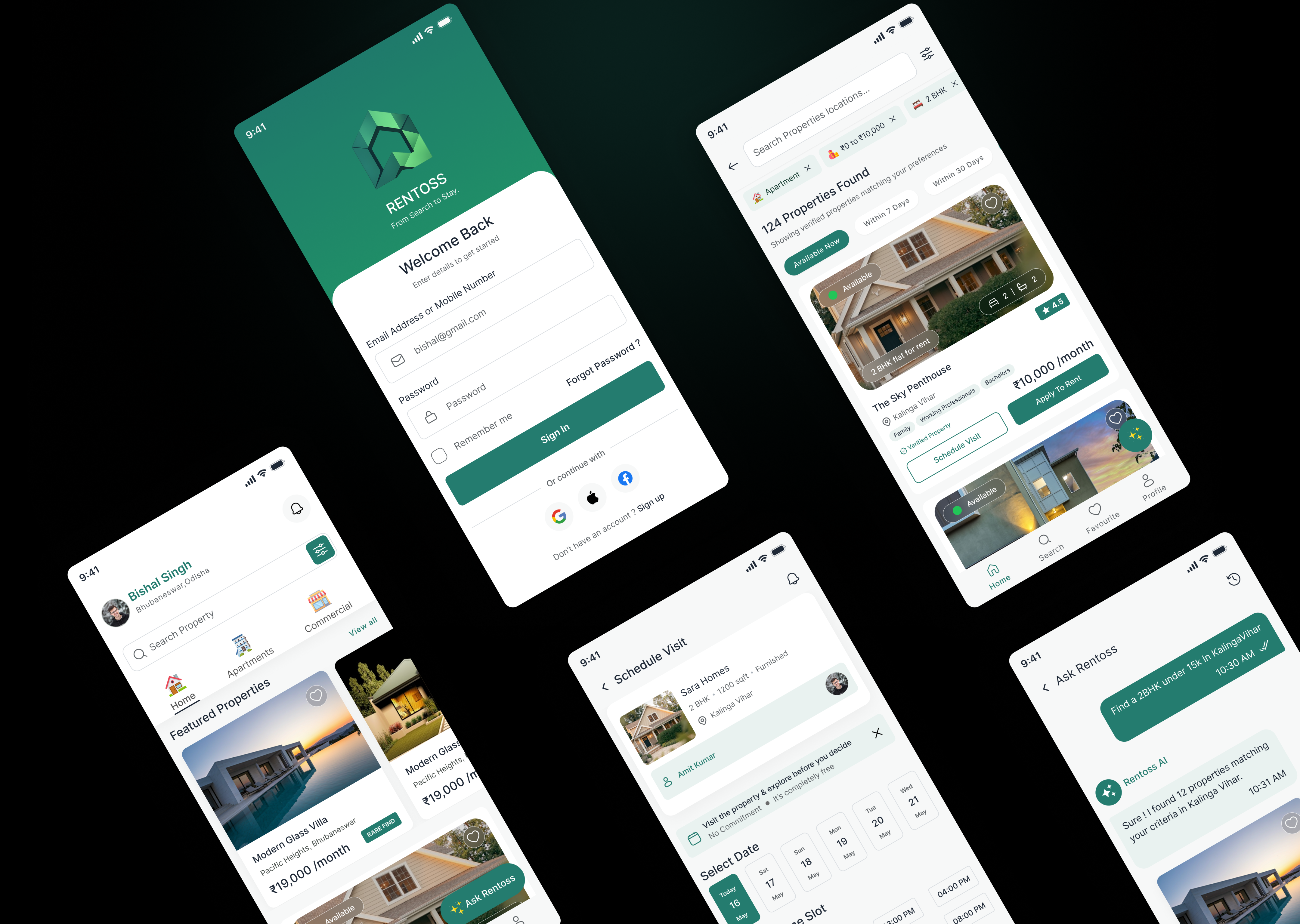
Rentoss is an AI-powered rental platform that simplifies the entire home rental journey—from discovering verified properties and scheduling visits to submitting rental applications and tracking progress—all within a single, seamless experience.
Finding a rental home is often fragmented across multiple platforms, making it difficult to discover verified properties, compare options, schedule visits, and complete the rental process efficiently.

Design an intuitive, end-to-end rental platform that helps users search, explore, visit, and secure verified homes while reducing friction through AI-powered discovery and streamlined workflows.


Before designing Rentoss, I studied the rental journey to identify the biggest pain points users experience while searching for, evaluating, and securing a rental property.
Users often struggle to distinguish genuine listings from outdated or misleading ones, making the home search process unreliable and time-consuming.
Traditional property platforms rely on lengthy filters and manual browsing, making it difficult for users to quickly find homes that match their needs.
Searching for a home, scheduling visits, applying for rent, and tracking progress are often spread across multiple channels, creating unnecessary friction.
To understand the rental journey, I identified the primary user groups interacting with the platform and documented their goals, behaviors, and key expectations throughout the home search process.

Looking for a safe, spacious, and verified home that fits the family's budget while minimizing the effort involved in searching and scheduling visits.

Needs a rental home close to work with a fast, convenient search experience and a streamlined application process.

Searching for affordable accommodation with transparent pricing, verified listings, and an easy way to compare nearby rental options.
Follow the complete user journey from discovering a property to successfully securing a rental home through a seamless digital experience.
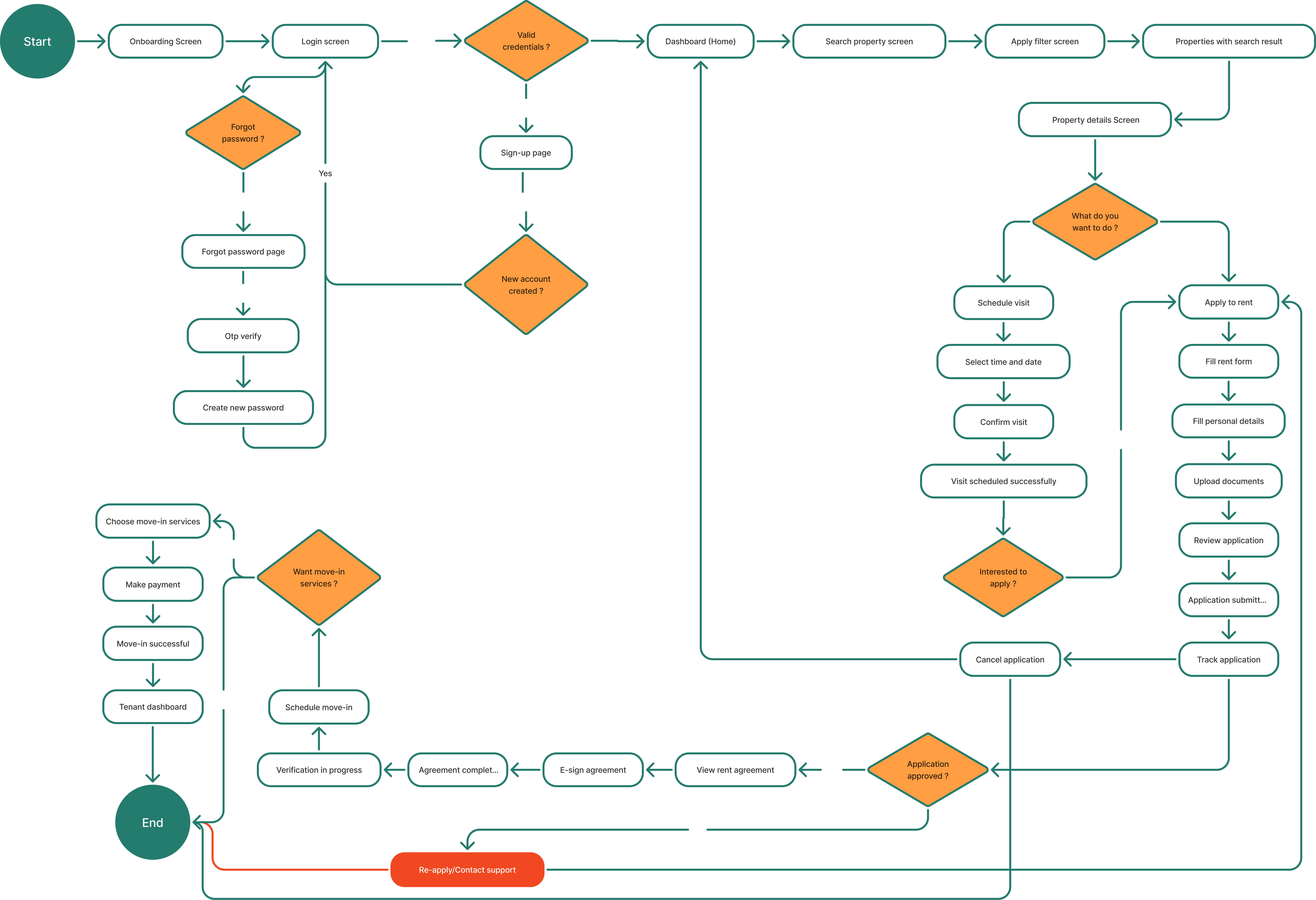
The application is organized into intuitive sections that help users discover properties, manage rentals, and complete the renting journey with minimal effort.
Personalized property discovery and recommendations.
Find homes using filters and intelligent search.
Manage applications, visits, and rental progress.
Before moving into high-fidelity designs, I explored the core product structure through low-fidelity wireframes. This helped validate screen hierarchy, information placement and user flow without focusing on visual styling.
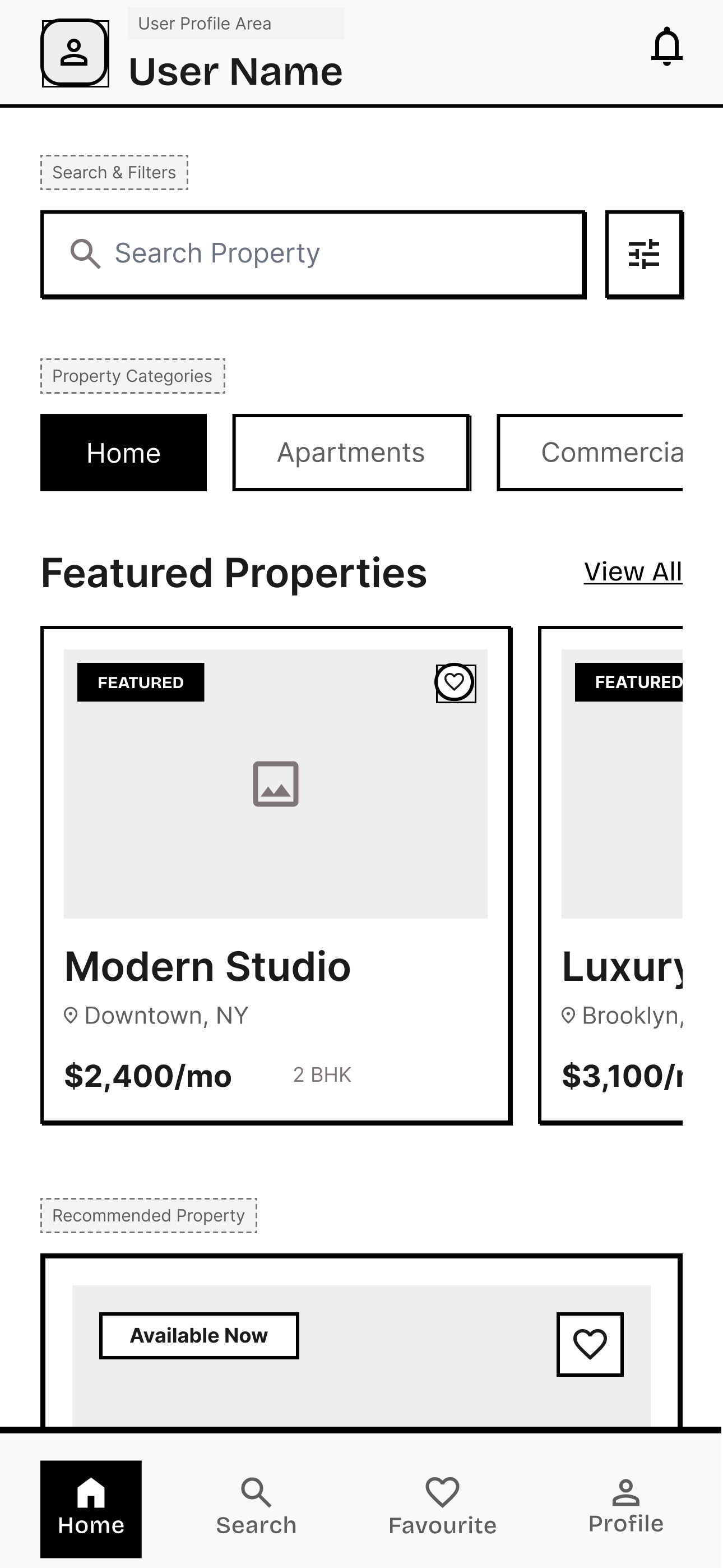
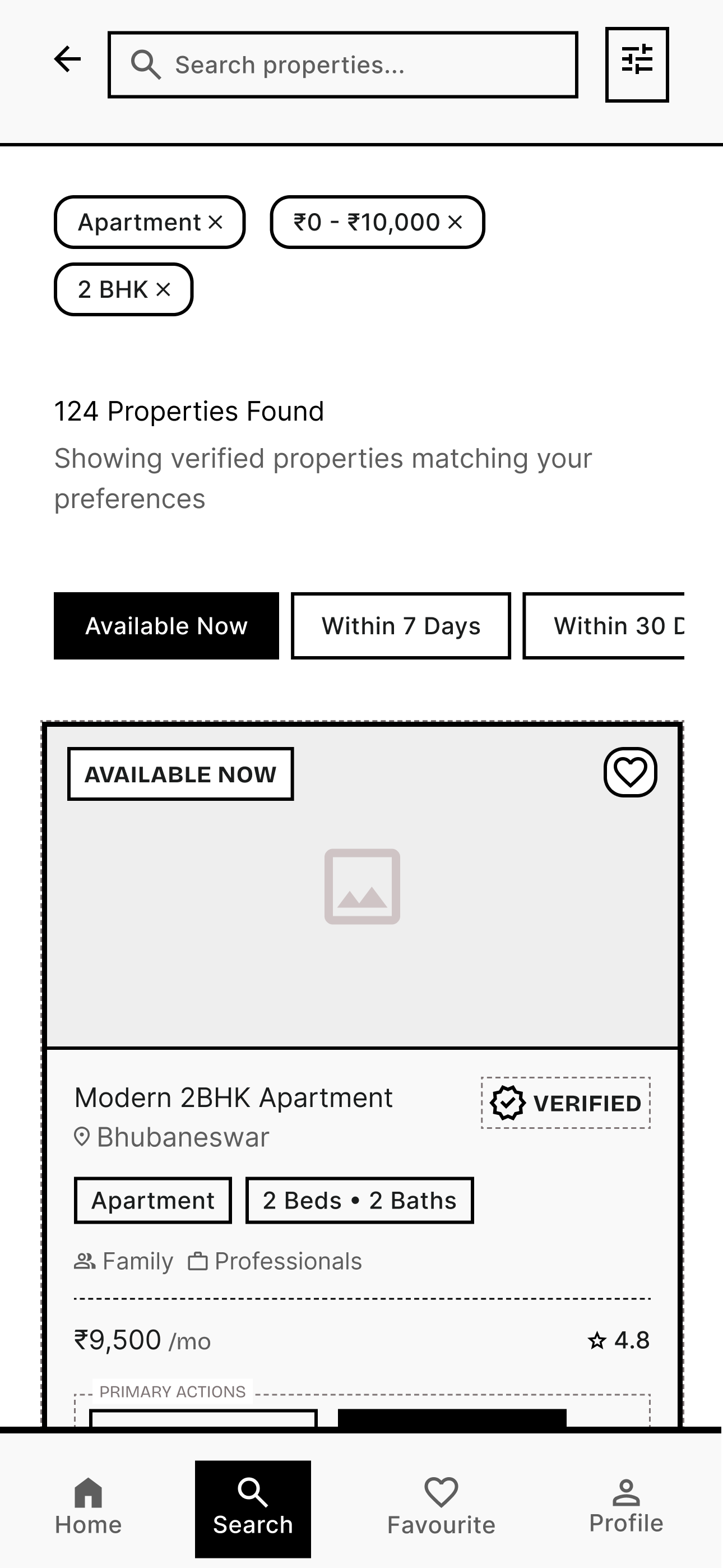
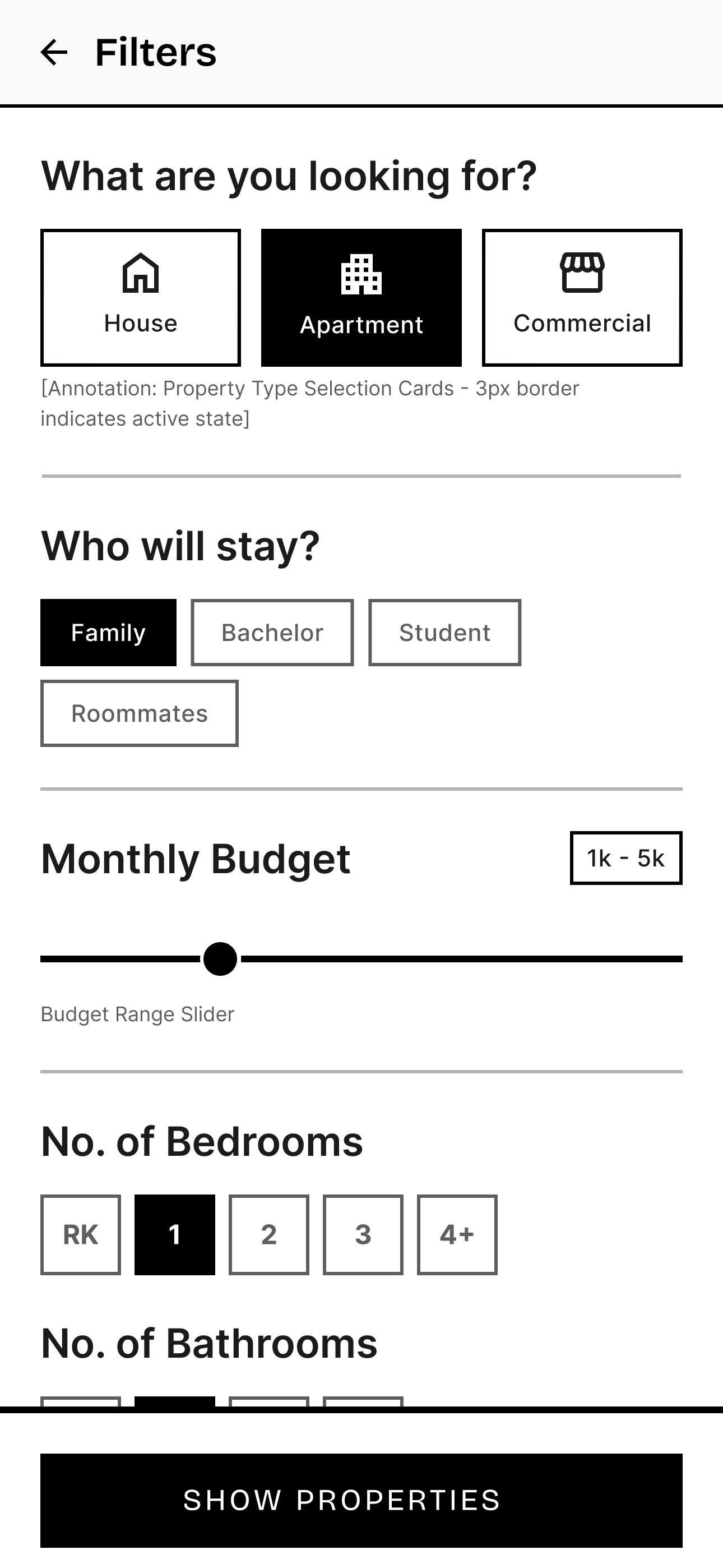
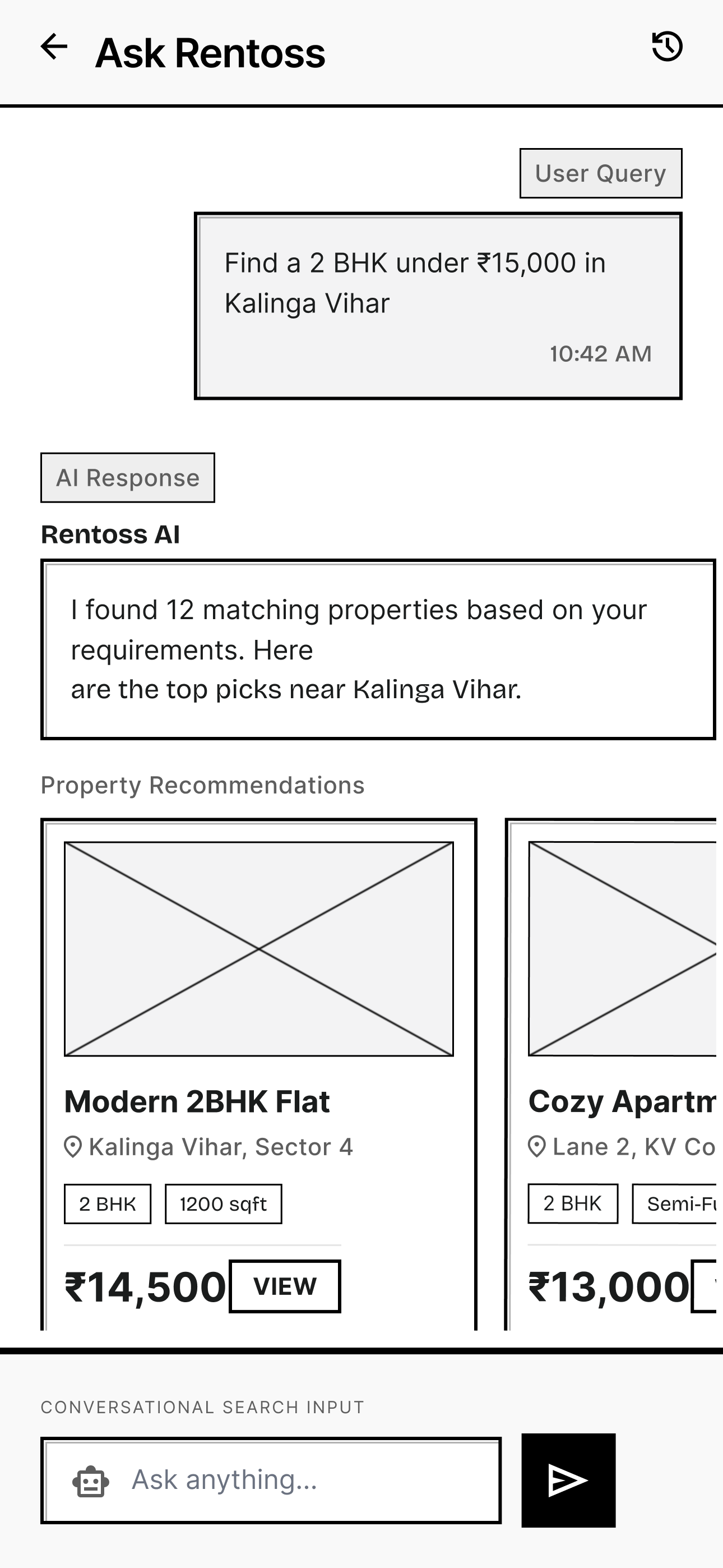
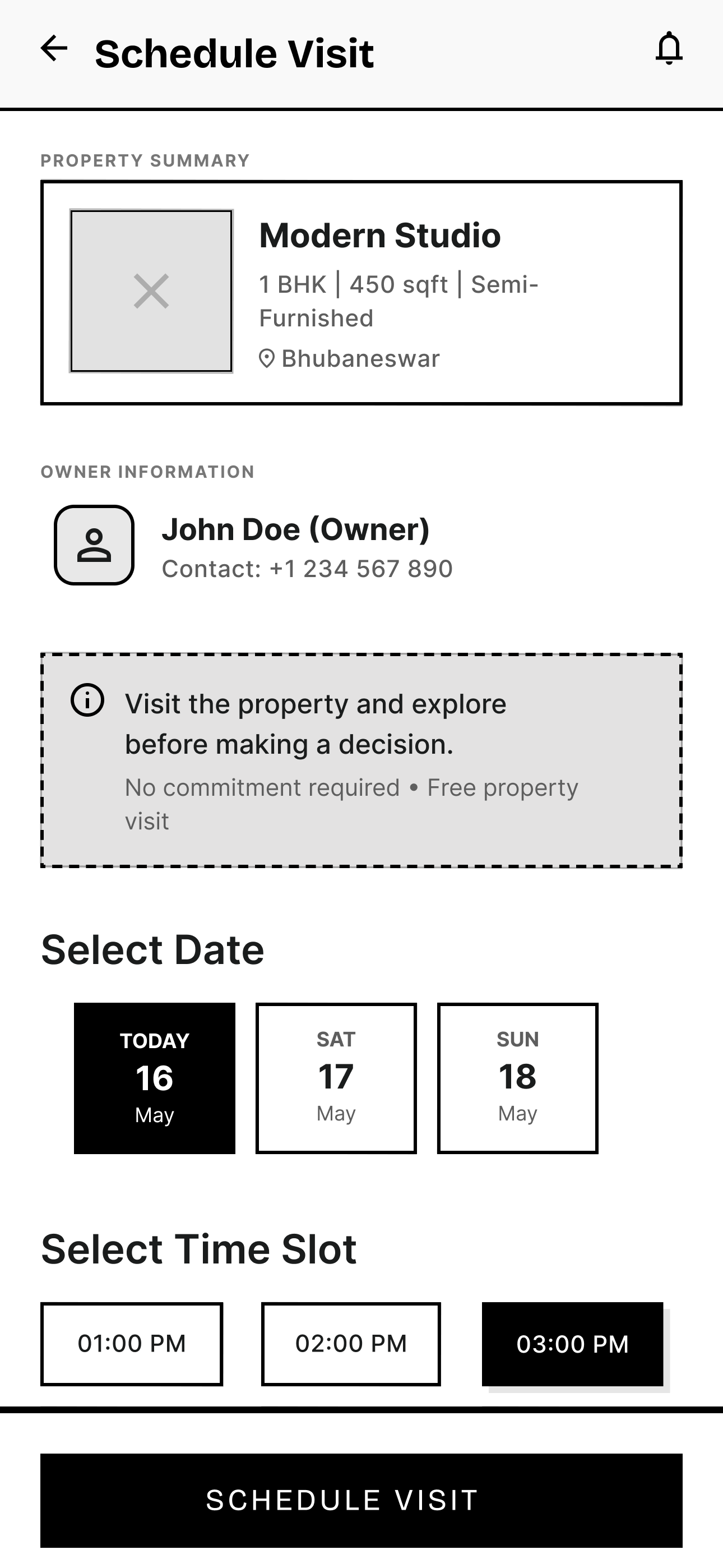
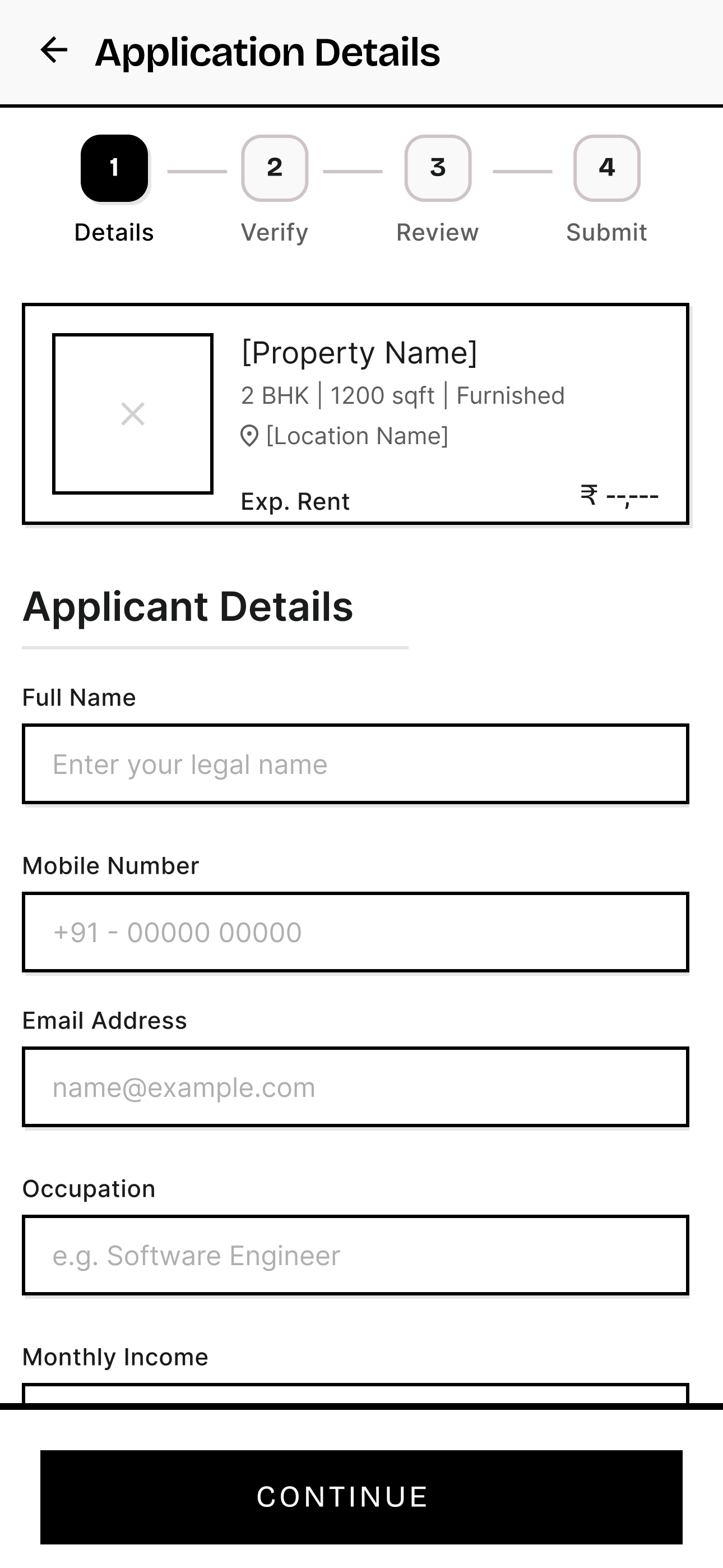
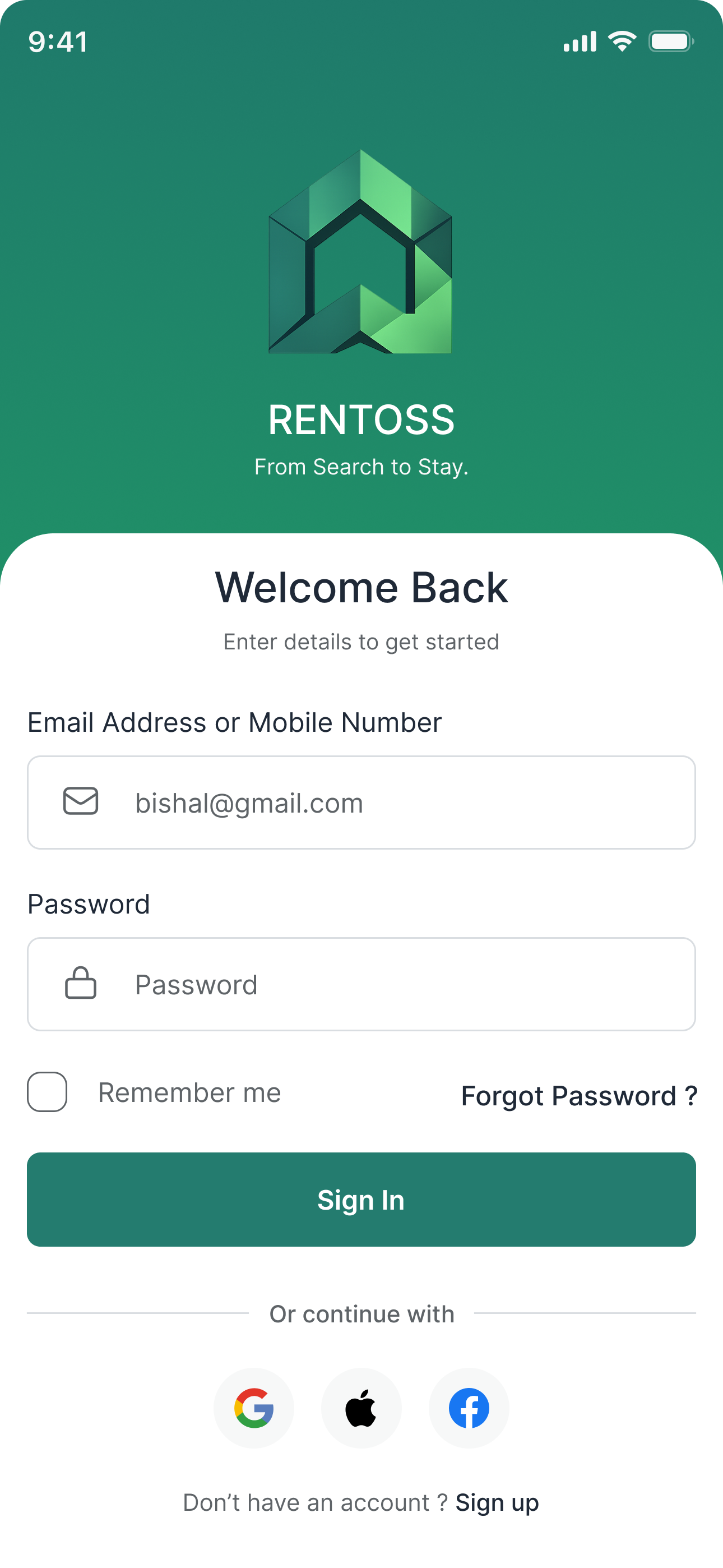
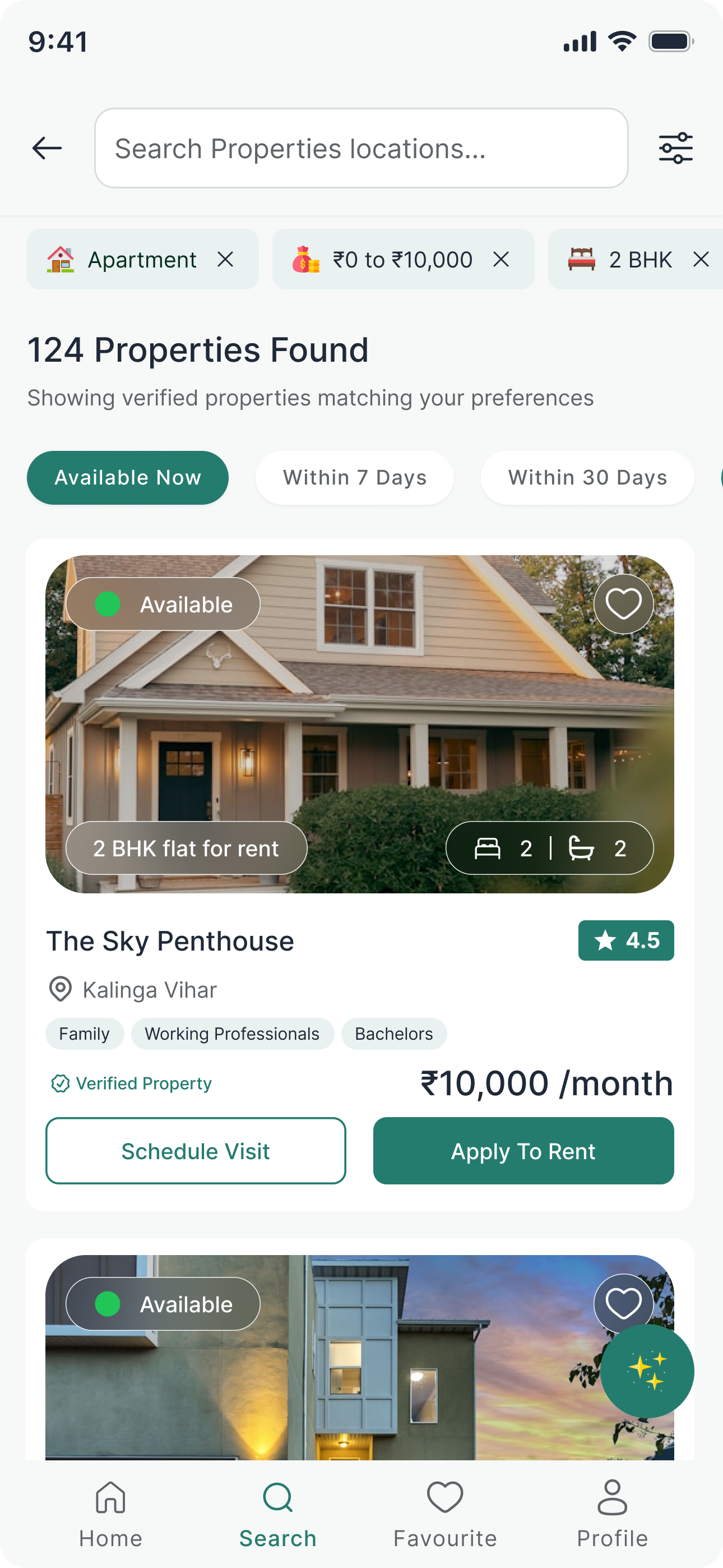
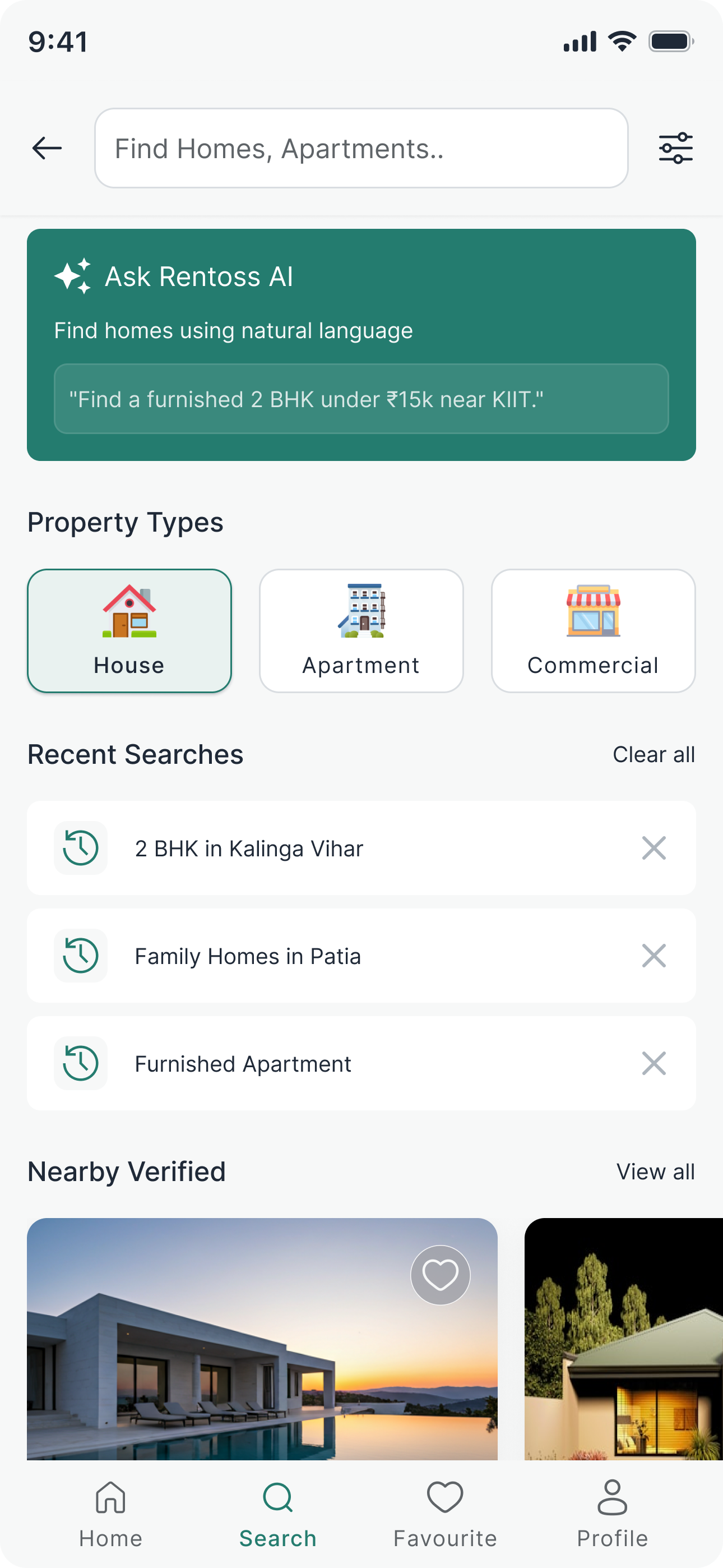
The final mobile experience was designed to simplify every stage of the rental journey—from discovering properties and scheduling visits to applying for rent and tracking application progress through a seamless and intuitive interface.
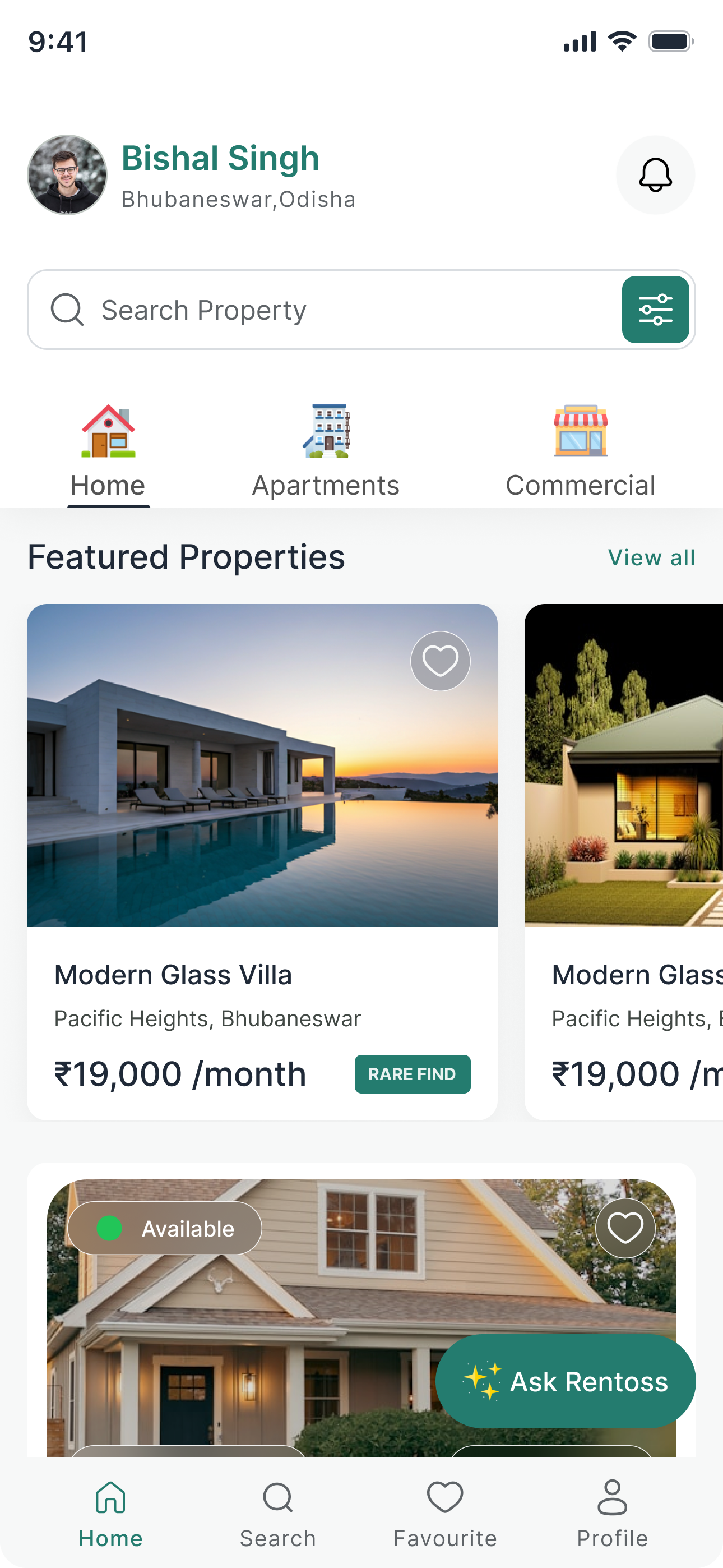
Provide users with a personalized starting point to discover verified rental properties, continue their property search, and access AI-powered recommendations from a single dashboard.
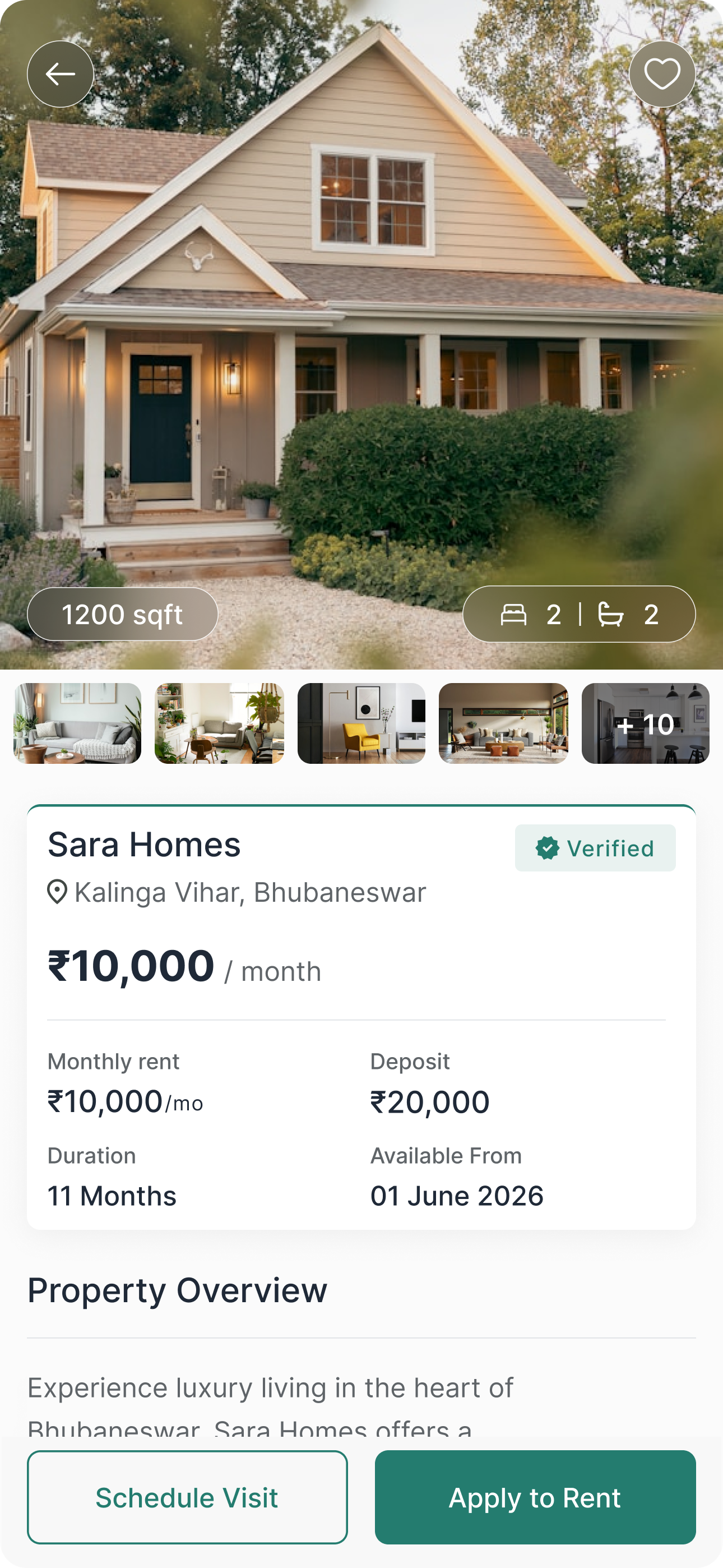
Provide users with complete property information, verified listing details, pricing, and essential actions to help them make confident rental decisions without leaving the screen.
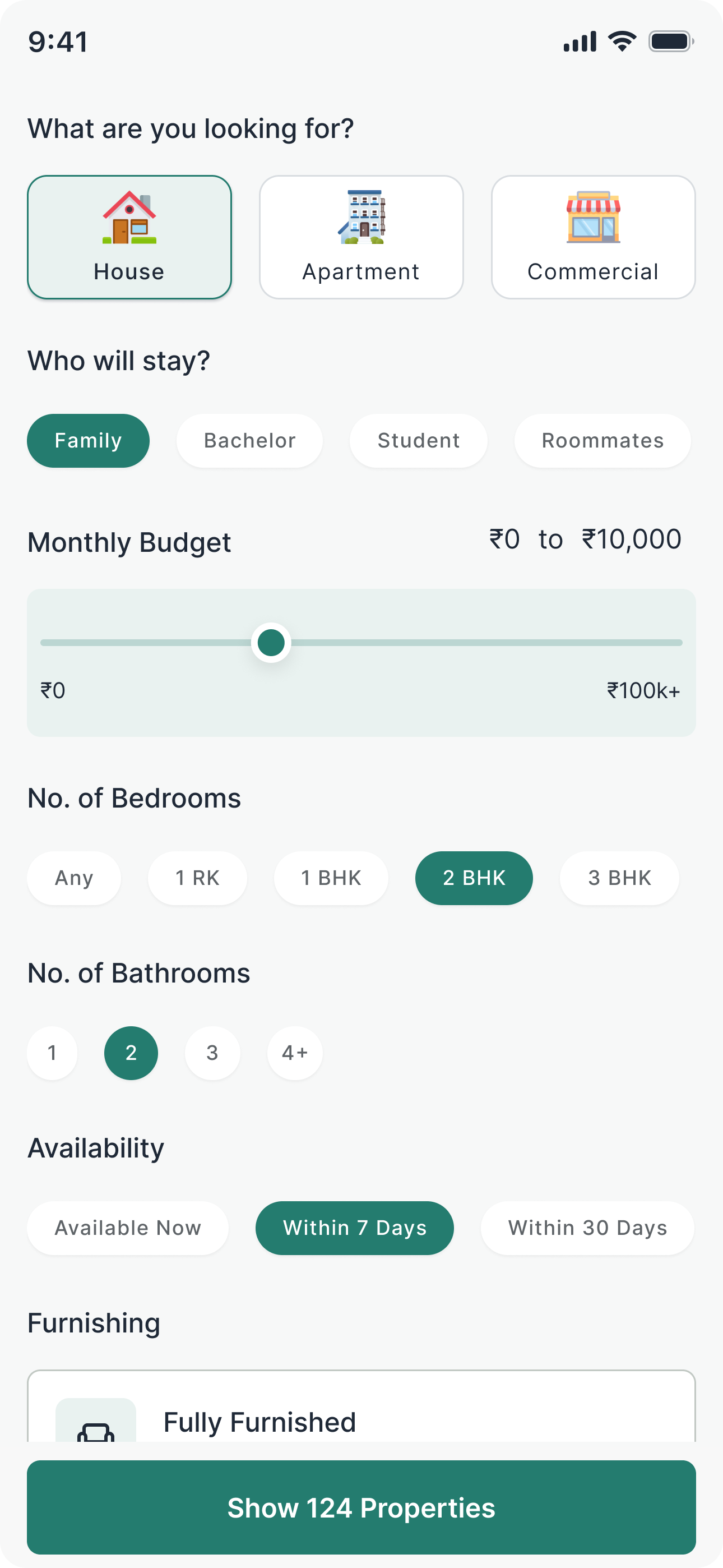
Enable users to quickly narrow down property listings by selecting preferences such as property type, budget, occupancy, bedrooms, bathrooms, availability, and furnishing, making the search experience faster and more personalized.
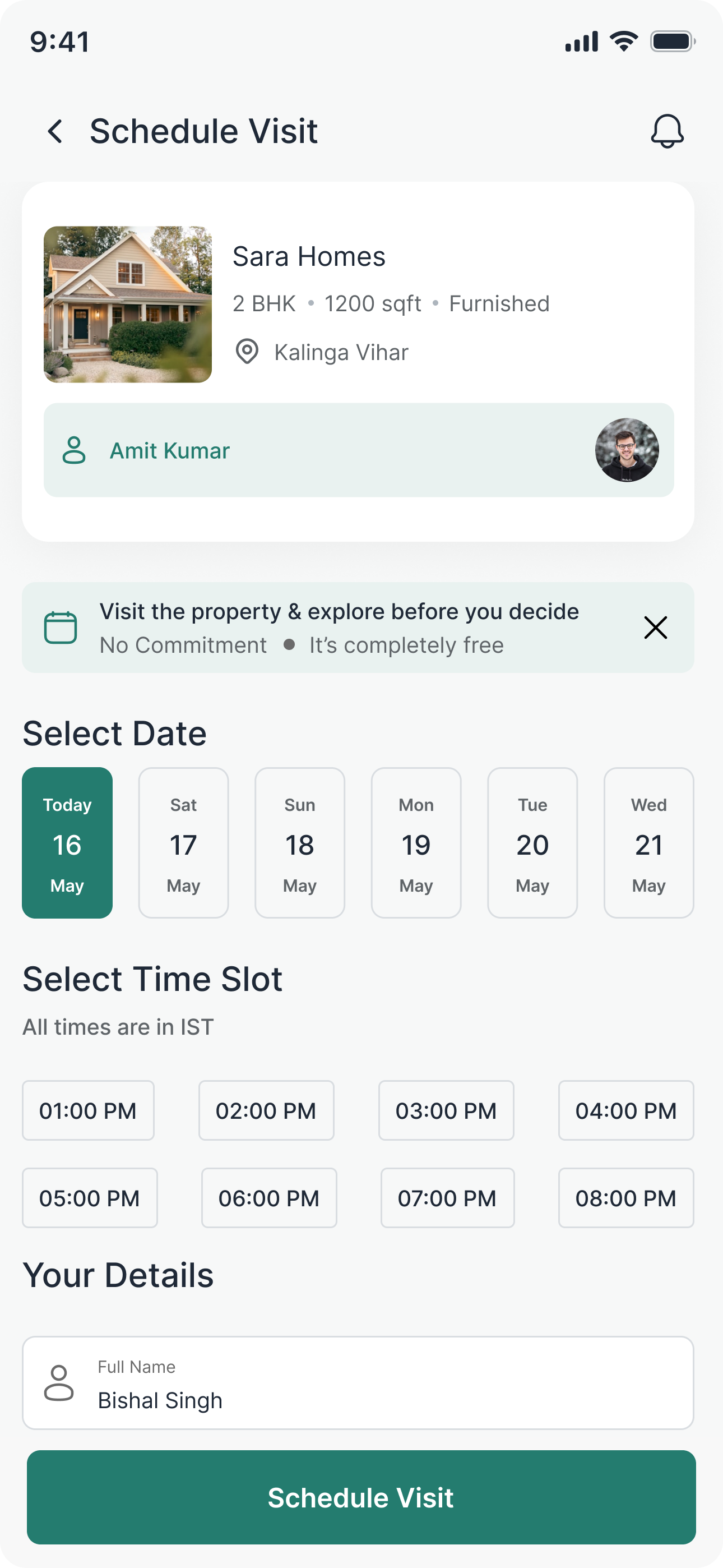
Allow users to book a property visit by selecting a preferred date and time, while providing property details and owner information to ensure a smooth and hassle-free scheduling experience.
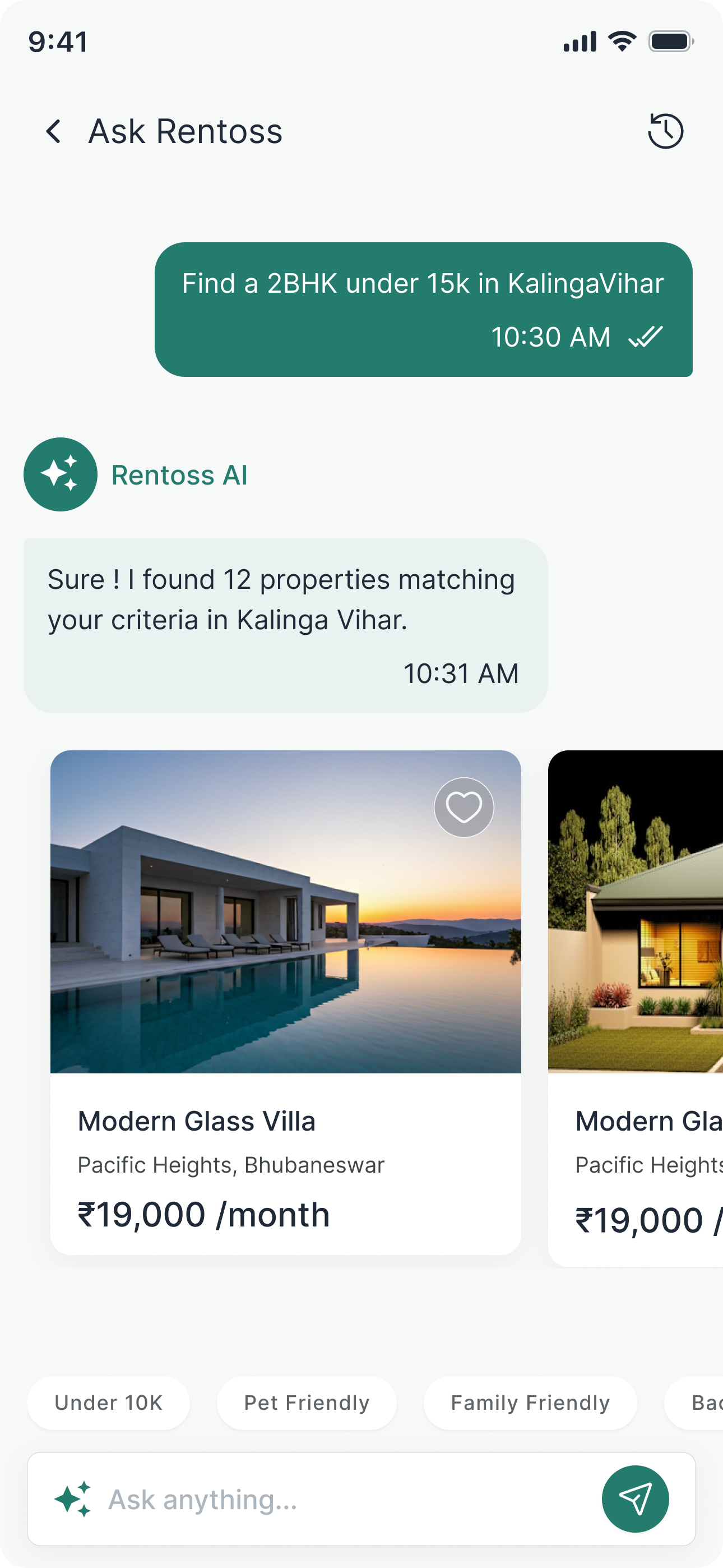
Enable users to discover the most relevant rental properties through natural language conversations, delivering personalized recommendations based on budget, location, lifestyle, and specific preferences.
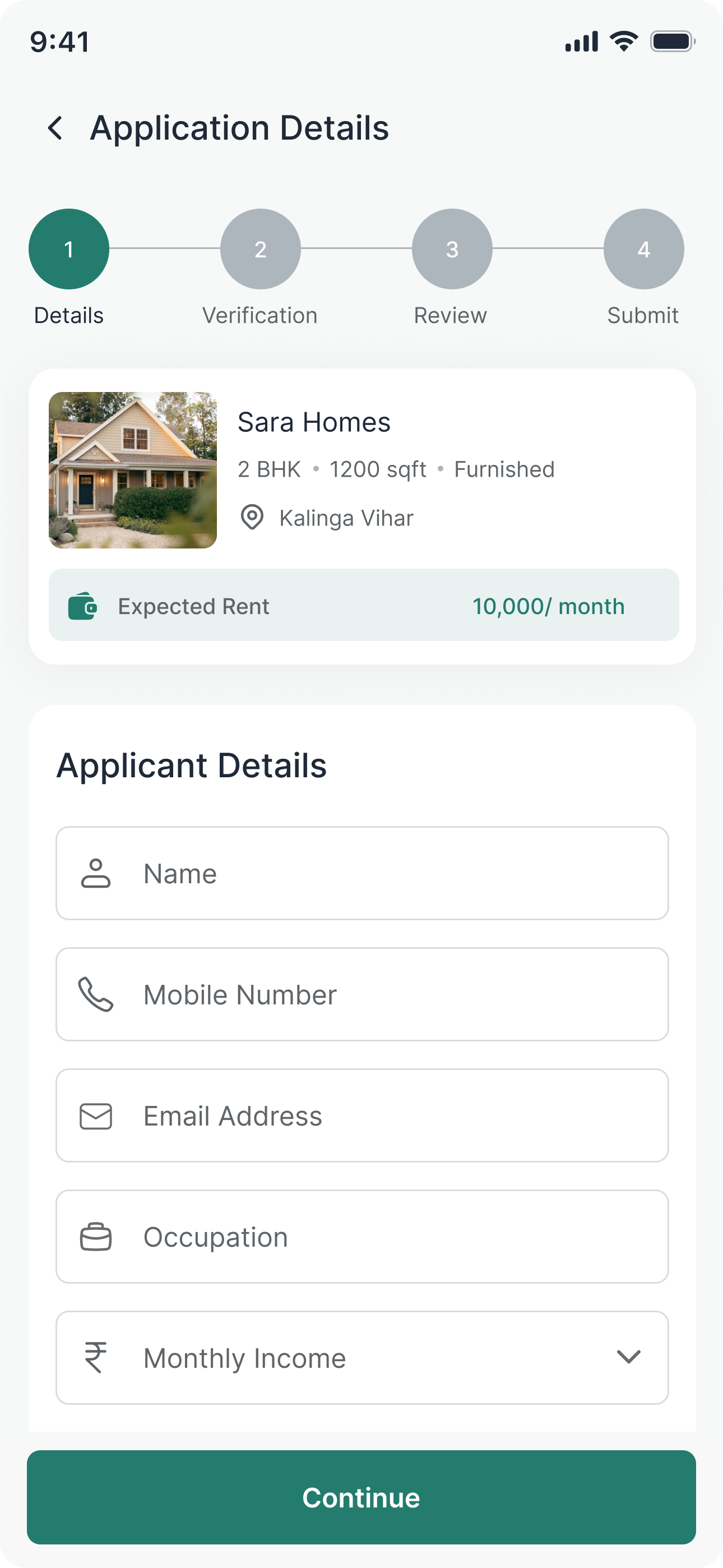
Streamline the rental application process by guiding users through a structured multi-step form, allowing them to securely submit personal details and complete their rental request with confidence.
After validating the user journey through wireframes and prototypes, the interfaces were refined into a scalable design system focused on consistency, usability, and future product expansion.

Built a reusable design system with consistent colors, typography, spacing, buttons, form elements, and cards to maintain visual consistency across the application.

Created reusable Figma components and Auto Layout structures to accelerate design iterations while ensuring consistency across every screen.

Designed with a mobile-first approach, ensuring intuitive navigation, comfortable touch interactions, and responsive layouts optimized for modern smartphones.
Key outcomes achieved through user-centered design, intuitive workflows, and a scalable mobile-first experience.
Users can find relevant rental properties quickly through smart filters, personalized recommendations, and AI-powered search, reducing the time spent browsing listings.
A streamlined experience from property discovery to visit scheduling and rental application minimizes friction throughout the user journey.
Verified property badges, transparent pricing, detailed information, and guided interactions help users make confident rental decisions.
Designing Rentoss reinforced the importance of creating intuitive, trust-driven experiences for users searching for rental properties. Every design iteration helped simplify complex user journeys while balancing business goals with user needs.
Verified listings, transparent pricing, and clear property information significantly improve user confidence when making rental decisions.
Reducing the number of steps through smart filters and conversational AI helps users find relevant properties faster with less effort.
Building reusable components and a consistent design system made the interface easier to navigate while supporting future scalability.
From browsing properties to scheduling visits and submitting rental applications, simplifying each interaction improves usability and encourages users to complete their journey.